
Hi, we’re BrandGeneration – a strategy and growth team helping founders and businesses build and scale products inside Telegram MiniApps.
Over the past few years, we’ve worked on everything from early MVPs to multi-million-user ecosystems and have seen firsthand how Telegram has quietly evolved from a messenger into a full-scale business platform.
The team is led by Yuliia Mazura – a Telegram ecosystem strategist and co-founder of BrandGeneration – who has been advising Web3, fintech, and media projects on how to grow inside Telegram long before the MiniApp boom began.
And yet, even today, many founders still ask the same question:
“What exactly is a Telegram MiniApp – and why is everyone suddenly talking about them?”
Let’s unpack it clearly – no coding jargon, no developer-speak. Just a simple explanation for founders, marketers, and entrepreneurs who want to understand how Telegram MiniApps (TMAs) actually work and why they matter for business in 2025.
Why Everyone’s Talking About Telegram MiniApps
If you’ve been anywhere near the startup, gaming, or crypto world lately, you’ve probably seen people obsessing over Hamster Kombat, Notcoin, or other Telegram-based experiences.
They’ve taken over Telegram feeds, built communities of millions, and – most importantly – proved that something huge is happening inside this platform.
Zero-install products inside Telegram
They’re not traditional apps. They’re not websites.
They’re a completely new interaction layer inside Telegram – where users can play, shop, trade, learn, and even earn without ever leaving the chat.
And that’s the key difference: MiniApps remove friction. No app store. No download. No login. You click, and you’re already inside.
That instant access is what made projects like Hamster Kombat explode.
For the first time, a product inside a messenger reached tens of millions of daily users in days – not months – and did it without any paid installs or external advertising.
In 2024, the world discovered MiniApps.
In 2025, founders are building them – on purpose, with strategy, monetization, and growth in mind.
So, What Exactly Is a Telegram MiniApp?
A Telegram MiniApp is a lightweight web application that runs directly inside Telegram.
No external installation. No separate account. No app store validation.
It opens instantly from a bot, channel, link, or QR code, using Telegram’s built-in browser and the Telegram WebApp API. From the user’s perspective, it feels completely native – like a mini-version of a real app, but faster and lighter.
MiniApp = lightweight web app inside Telegram
You can think of it as a website that lives inside Telegram, but behaves like an app.
That’s the beauty of the MiniApp format: it combines the speed of the web with the convenience of chat.
Users can:
- play games,
- buy or sell digital assets,
- use loyalty programs,
- follow interactive news,
- or even run full marketplaces – all within the Telegram environment.
It’s not just another tech gimmick.
It’s a fundamental shift in how people interact, purchase, and engage online.
How Telegram MiniApps Work (Bot + WebApp Model)
Now that you know what it is, let’s look at how it actually works – in the simplest way possible.
Every Telegram MiniApp has two core components:
- The Bot – the entry point and communication layer.
- The WebApp – the visual and interactive layer where users actually do things.
If we use a metaphor:
The bot is your reception desk – it greets the user, checks who they are, and asks what they need.
The MiniApp (WebApp) is the main hall – where the experience happens.
When a user clicks a button or types a command, the bot opens the MiniApp via the Telegram WebApp API.
At that moment, Telegram securely passes the user’s identity (Telegram ID, username, language, etc.) to the MiniApp – no sign-ups, no passwords, no email confirmations.
This makes the process incredibly smooth and safe.
The user stays inside Telegram, and their identity and session are managed by Telegram’s trusted infrastructure.
Why This Setup Works So Well
The Bot + WebApp model is simple, but powerful.
- Universal Access – MiniApps work on any device with Telegram: iOS, Android, desktop, or web. No downloads required.
- Security Built In – Telegram handles authentication and protects data via its native environment.
- Instant Scaling – You can go from a small prototype to a million users without rewriting your app from scratch.
- Frictionless UX – No redirects, no pop-ups, no waiting. Just a tap, and you’re in.
That’s why MiniApps outperform most mobile and web products in engagement.
Users stay longer, interact more, and convert faster – simply because it’s easier.
Why This Matters (Especially for Non-Developers)
You don’t need to be technical to appreciate this.
For founders and marketers, Telegram MiniApps are a way to bring a product to life inside an audience that already exists.
Telegram has over 1 billion active users – and MiniApps are the fastest way to reach them directly, without fighting app store algorithms or social media CPMs.
If you’ve ever launched a website, you already understand 80% of how this works.
The difference is that MiniApps live inside an ecosystem where discovery, communication, and conversion happen in one flow.
No external funnels. No cold ads. Just pure user interaction – right where your audience already is.
Every new digital wave begins when friction disappears.
Websites replaced printed brochures.
Mobile apps replaced desktop tools.
Now, Telegram MiniApps are replacing the gap between users and instant digital experiences.
They are faster than websites, lighter than mobile apps, and more viral than social media posts.
Telegram is becoming its own self-contained ecosystem – a network of products, services, and creators connected by a single interface.
And MiniApps are the entry points to that new world.
2024 showed the potential.
2025 is about execution – and founders who understand this shift early will build the next generation of scalable, profitable products inside Telegram.
Glossary: Key Telegram MiniApp Terms (Explained Simply)
Before we go deeper, let’s pause and make sure we’re speaking the same language.
If you’re not a developer – relax. You don’t need to memorize acronyms or code syntax to understand how this works.
Here’s a quick, human-friendly glossary of terms you’ll see again and again when talking about Telegram MiniApps (TMAs).
TMA (Telegram MiniApp)
The hero of this whole story.
A Telegram MiniApp (or TMA) is a lightweight web application that runs inside Telegram – no downloads, no App Store, no login.
Think of it as a website that behaves like a native app, launched directly from a bot or a link.
TMAs are the bridge between chat and product – between conversation and action.
Bot
Your bot is the front door to your MiniApp.
It’s the thing users actually message, like @YourBotName.
When someone taps “Start” or types a command, the bot responds – and can open your MiniApp.
You can think of it like a digital receptionist: greeting users, checking who they are, and then escorting them into your MiniApp’s interface.
WebApp
This is where the real experience happens.
The WebApp is the visual layer of your MiniApp – the dashboard, game, store, or content feed users actually interact with.
It’s built with normal web tools (HTML, CSS, JS) and connected to Telegram through the Telegram WebApp API, which keeps everything running smoothly inside the app.
If the bot is the door, the WebApp is the building.
BotFather
The BotFather is Telegram’s official setup tool – basically your admin console for creating bots and linking them to your MiniApp.
Every bot starts here. You name it, get a unique API token, and set permissions.
It’s simple enough that even non-tech founders can follow a tutorial and get a bot running in minutes.
WebView
When you open a MiniApp, Telegram doesn’t launch Chrome or Safari – it opens its own built-in browser, called a WebView.
This WebView displays your MiniApp’s interface while keeping users inside Telegram.
It’s what makes the whole experience feel seamless – users never feel like they’re leaving the chat.
Deep Link
A deep link is a special URL that opens a specific part of your MiniApp.
Example: https://t.me/YourBot/startapp?ref=invite
You can use deep links for referral programs, campaign tracking, or onboarding flows.
They’re the backbone of growth in Telegram – one tap, and users land exactly where you want them.
Startapp Link
This is a newer Telegram feature and one you’ll see often in MiniApp documentation.
A startapp link is basically a deep link that tells Telegram to immediately open your MiniApp – skipping any chat messages or commands.
It’s the cleanest, fastest entry point to your product.
TON (The Open Network)
TON is Telegram’s native blockchain – built for fast payments, tokenization, and digital asset ownership.
Many MiniApps use TON to handle micropayments, in-game tokens, or reward systems.
You don’t have to be a crypto project to use TON – but it’s becoming a default payment and identity layer inside the Telegram ecosystem (docs).
Payments
Telegram supports multiple payment methods: traditional ones (like Stripe) and crypto-based ones (like TON Payments or wallet integrations).
The beauty of Telegram’s system is that users can pay without leaving the app – securely and instantly.
For founders, this means you can monetize directly inside your MiniApp, without App Store fees or long approval waits.
Referral Link
A referral link is a customized deep link that tracks who invited whom.
You’ve probably seen them in games like Notcoin or Hamster Kombat – “Invite friends, earn rewards.”
It’s one of the easiest viral growth mechanics inside Telegram, and it works perfectly with MiniApps.
Each referral link automatically opens your MiniApp via a startapp – ready to onboard a new user in seconds.
In Short
You don’t need to be technical to build or use a Telegram MiniApp.
You just need to understand these few moving parts – Bot, WebApp, Deep Link, TON, and WebView – and how they connect into one frictionless experience.
Think of it like this: Telegram gives you the tools, you bring the story.
The MiniApp is simply how your story becomes interactive.
How Users Access Telegram MiniApps
Let’s make it simple: getting into a Telegram MiniApp is easier than opening a website.
There’s no login page, no “create an account,” no app store. You just tap – and you’re in.
That’s one of the biggest reasons why MiniApps are blowing up right now: the entry point is so natural that it feels invisible.

Four Ways People Access Telegram MiniApps
There are a few main ways users get inside your MiniApp – and each one fits naturally into how people already use Telegram every day.
1. A Button in a Bot
This is the most common one. A bot is like your app’s front door. When users type “Start” or tap a menu button, the bot opens your MiniApp using the Telegram WebApp API.
It feels instant – no redirects, no pop-ups – just a smooth transition from chat to interactive experience.
2. A Link in a Channel or Post
You’ve probably seen these already: “Open App,” “Play Now,” “Claim Rewards.”
When users tap the link, it launches your MiniApp directly inside Telegram’s WebView. The app opens full-screen, with no external browser or installation.
It’s as easy as clicking a regular link – but with way more power behind it.
3. A QR Code at an Event or Store
MiniApps also work perfectly for offline-to-online experiences.
At a conference, a café, or a physical store, you can print a QR code that instantly opens your Telegram MiniApp when scanned.
It’s one of the easiest ways to connect real-world interactions with digital engagement.
4. A Deep Link from a Partner Campaign
Deep links are customized URLs that lead users straight to a specific page or action inside your MiniApp – for example, a referral page, discount claim, or onboarding step.
They’re perfect for ads, influencer posts, or collaborations, because they take the user straight into your product without extra steps.
What Happens “Under the Hood”
Here’s where the magic happens: when a user taps any of these links, Telegram opens your MiniApp inside its own built-in browser (WebView).
At that moment, Telegram quietly passes along key user data = their Telegram ID, language, and session information to your app.
So your MiniApp already knows who they are, even before the first click inside the interface.
That’s why there’s no “sign up” form or login screen Telegram already handles authentication for you.
The user never leaves the Telegram ecosystem, and the experience feels smooth and secure.
Why This Matters
In the world of web and mobile apps, onboarding is the biggest conversion killer.
Every time you ask a user to download, register, or confirm something, you lose 30–70% of them.
Telegram MiniApps solve that problem by removing all barriers.
The user is already inside Telegram, already authenticated, and just one tap away from your product.
That’s why engagement rates for MiniApps are so high – it’s not about luck or hype, it’s about pure UX efficiency.
Telegram MiniApps are one-tap experiences – whether it’s through a bot, a post, a QR code, or a deep link.
The user doesn’t “join” your app – they simply enter it, friction-free.
Telegram MiniApp vs Mobile App vs Website (Comparison
Let’s be honest – when you first hear the term Telegram MiniApp, it might sound like just another way to say “app” or “website.”
But in reality, it’s neither. It’s a hybrid – and that’s what makes it so powerful.
A Telegram MiniApp combines the speed of a website, the experience of a mobile app, and the reach of a social network – all inside one familiar place: Telegram.
That’s the reason why founders and creators are moving projects into this format – it’s not about reinventing the wheel, it’s about removing all the unnecessary friction between you and your user.
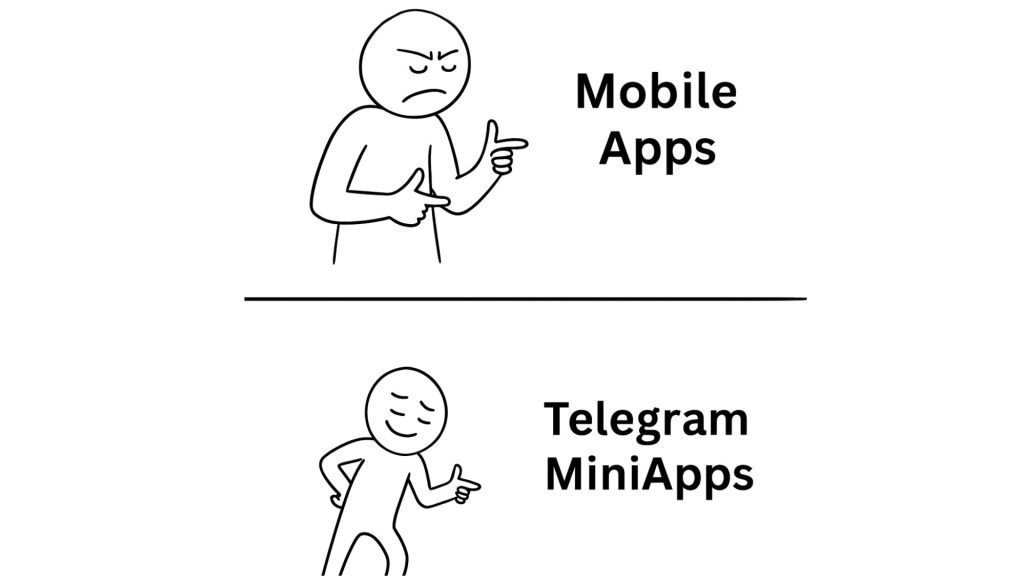
Zero Friction: The Real Superpower
When you launch a website, you have to get someone to click a link, wait for it to load, and then maybe log in.
When you launch a mobile app, you’re asking users to find it, install it, open it, register, confirm their email, and only then try it out.
Now compare that with a Telegram MiniApp:
- No downloads
- No app store approvals
- No signup forms
- No waiting
You share a link – and in one tap, your product is open and running inside Telegram.
That’s called zero-friction UX, and it changes everything.
It’s the same reason why some MiniApps go from zero to millions of users in weeks — the entry barrier is practically gone.
A Quick Comparison
Telegram MiniApp vs Website vs Mobile App
| Feature | Website | Mobile App | Telegram MiniApp (TMA) |
|---|---|---|---|
| Install required | No (opens in browser) | Yes (App Store / Google Play) | No – opens directly inside Telegram |
| Account creation | Manual signup / email | Manual signup | Auto login via Telegram ID |
| Start time | Medium (browser load) | Fast (after install) | Instant (one tap inside chat) |
| Access method | URL in browser | App icon | Bot, link, QR, or deep link |
| Login process | Form-based | Form-based | One-tap via Telegram authentication |
| Notifications | Browser alerts | Push notifications | Bot messages & in-chat alerts |
| Shareability | Limited (copy URL) | Limited (app share) | Native inside chats & channels |
| User base | Open web audience | Platform-dependent | Telegram’s 1B+ global users |
| Virality potential | Low | Low | Very high – built for social spread |
| Installation updates | Automatic via browser | Manual via app stores | Auto-updates instantly on launch |
Telegram MiniApps combine the best of both worlds:
– no installation,
– instant auto-login via Telegram ID,
– and native shareability that turns every user into a potential promoter.
That’s what makes TMAs not just faster to open – but exponentially faster to grow.
The Secret Sauce: Integration with Human Behavior
The biggest advantage of Telegram MiniApps isn’t technical – it’s psychological.
People are already in Telegram. They trust it. They check it several times a day.
So when your product lives there too, it doesn’t feel like “marketing” – it feels like a natural part of their digital routine.
Instead of asking users to download “yet another app,” you meet them where they already spend their time.
That’s not just convenience – it’s retention strategy disguised as design.
The Hidden Edge: Built-In Virality
Websites rely on ads. Mobile apps rely on installs.
But Telegram MiniApps rely on networks – users share links directly inside chats, channels, and groups.
That’s how a single message or referral link can multiply your audience overnight.
Telegram’s ecosystem is already social – and MiniApps are designed to ride that wave natively.
In short: a MiniApp doesn’t just exist inside Telegram – it grows there.
Why Founders Love This Model
For non-developers, this difference is crucial.
You don’t need a big tech team, expensive infrastructure, or app store bureaucracy to launch.
You just need a working idea, a development partner, and a few smart growth mechanics — and your product can reach tens of thousands of users instantly.
So when you hear people comparing Telegram MiniApp vs mobile app or MiniApp vs website, the truth is simple:
A MiniApp isn’t competing with them – it’s replacing the need for both.
It’s what happens when the internet stops being a place you go to – and becomes the place you’re already in.
Under the Hood: Telegram WebView, Auth Payload, Backend
Here’s the part most founders skip – but it’s actually where the magic happens.
Under all the Telegram buttons, bots, and chat interfaces, a Telegram MiniApp is, at its core, a regular web app – just running inside Telegram instead of a browser.
Think of Telegram as a container that hosts your app.
When a user taps a button or a deep link, Telegram doesn’t send them to Chrome or Safari. Instead, it opens your MiniApp right there in the chat, using its built-in browser – a safe, self-contained environment called WebView.
So technically speaking, your MiniApp is a website that lives on your server, but Telegram controls the window through which users see it.
The Building Blocks
If you’ve ever built or used a normal web product, this will sound familiar.
A Telegram MiniApp is powered by the same languages – HTML, CSS, and JavaScript – plus one special ingredient: the Telegram WebApp API.
That API is what allows your app to:
- recognize who the user is (via Telegram ID),
- access basic user data (name, language, username),
- process secure payments,
- send messages or updates through your bot,
- and even adjust the interface depending on dark or light mode.
It’s not a totally new coding language or closed system – it’s the open web, connected to Telegram’s ecosystem through this API bridge.
What Happens When a User Opens Your MiniApp
When someone clicks “Open App”, Telegram launches your MiniApp inside its WebView.
At that exact moment, Telegram sends an authorization payload – a small packet of verified user data – to your server.
Your backend can then use that info to personalize the user experience instantly, without forcing them to log in or fill out forms.
That’s what makes it feel like magic to users.
They don’t realize that behind the scenes, your app is hosted on your own server, talking to Telegram only through API calls.
Telegram doesn’t run your code – it just gives it a home and an audience.
Add Your Own Tech Stack
Because your MiniApp is technically a web app, you can integrate almost anything you’d use in a normal product:
- analytics (Google, Mixpanel, Amplitude),
- databases (PostgreSQL, Firebase, MongoDB),
- payment systems (TON, Stripe, crypto wallets, fiat gateways),
- or external APIs for things like gamification, loyalty, or referrals.
In other words – you’re not limited by Telegram’s sandbox.
You can still host, track, and grow your product like any other modern web business.
The difference is just where users experience it – inside Telegram’s smooth, ready-made ecosystem.
Why This Setup Matters
This approach gives you the best of both worlds:
- The freedom of web development (your code, your logic, your servers).
- The distribution of Telegram (1+ billion users, instant access, zero friction).
For non-developers, here’s the key takeaway:
You don’t need to rebuild the internet.
You just need to build your product for where the users already are – inside Telegram.
That’s what the Telegram WebApp API makes possible – it’s the invisible bridge connecting your app’s engine to Telegram’s massive audience.
Telegram MiniApp + Web Version (Dual Setup)
Here’s something most founders don’t realize until it’s too late – your Telegram MiniApp is, by default, also a website.
It runs on your server, built with web technologies. Telegram simply embeds it inside the app.
That means every MiniApp already has two sides:
– the Telegram version, which users open directly inside chats, and
– the Web version, which can be accessed in any browser.
And when you understand how to use both strategically – you unlock real flexibility, growth, and safety.
The Telegram Side: Instant Access, Instant Reach
The Telegram version is where the fun starts.
It’s native, frictionless, and designed for viral distribution. Users open your app instantly through a bot, a channel link, or a QR code – and they’re already logged in through their Telegram ID.
That’s why the Telegram-first experience is unbeatable for user acquisition. It’s built for speed and reach.
But there’s a flip side: Telegram has rules.
If your MiniApp violates platform guidelines – for example, by connecting to unverified payment systems, using banned tokens, or hosting risky content – Telegram can restrict it, hide it, or temporarily block access.
This is rare, but it happens.
And that’s why smart founders always think one step ahead.
The Web Side: Your Safety Net (and Growth Bridge)
Since your MiniApp is technically a web app hosted on your own domain, you can always make it accessible outside Telegram – just by sharing its direct URL.
That gives you full independence from Telegram’s moderation rules and lets you:
- keep your product live even if Telegram limits visibility,
- run web-based marketing campaigns (SEO, ads, collaborations),
- and experiment with features that Telegram might not yet support (like external payment gateways).
The best teams build their MiniApps with a “Telegram-first, Web-ready” mindset.
That means designing your backend, database, and logic once – and then reusing them across both environments.
One core system, two front doors.
How They Work Together
Both versions – Telegram and Web – can share the same backend, analytics, and user database.
The Telegram version brings users in; the Web version gives them a home base for continued interaction.
Imagine this:
- A user discovers your product inside Telegram and joins a drop or game.
- Later, they get a reminder email or link to visit your full web dashboard – powered by the exact same backend.
- Everything stays synced: points, progress, wallet balances, user data.
It’s one ecosystem, just viewed through different windows.
Bonus Insight: Build Once, Scale Everywhere
Here’s a major advantage most founders overlook.
If you develop your MiniApp as a proper web-based product (HTML + JS + backend API), you’re not just building for Telegram – you’re building for iOS and Android too.
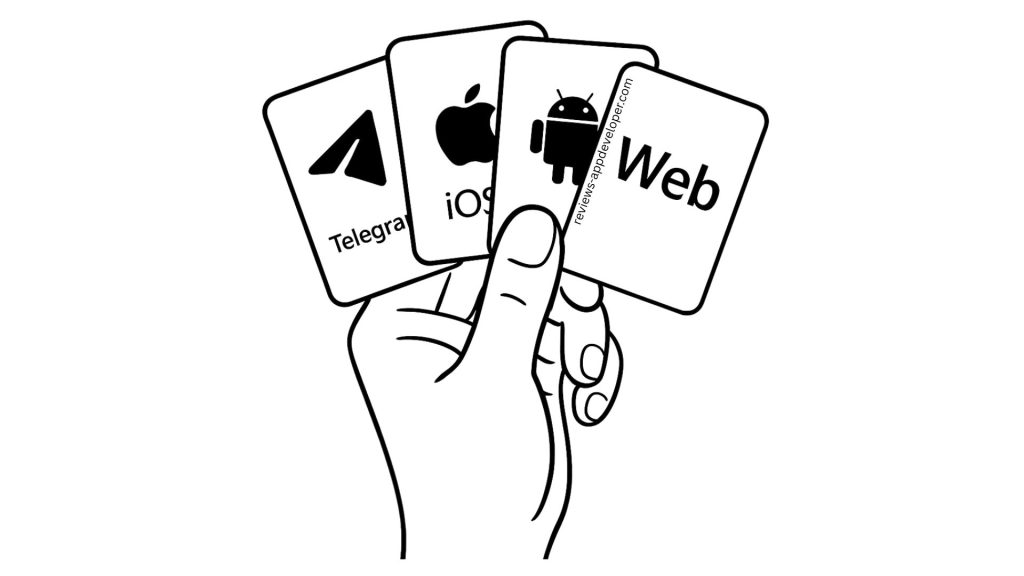
Frameworks like React Native or Flutter can reuse that same core code to launch mobile apps later – meaning you can go from a Telegram MiniApp MVP to a full cross-platform product with minimal extra cost.
That’s how smart teams scale:
start inside Telegram for fast traction and user growth,
then expand outward to the web and mobile ecosystems with the same foundation.
A Telegram MiniApp web version isn’t a “nice-to-have.”
It’s your safety net, scaling tool, and proof of independence – all in one.
So when you plan your next MiniApp, don’t treat it as just a Telegram project.
Treat it as your multi-platform engine – one that starts inside Telegram, but can grow far beyond it.
In short: build for Telegram first, but design for everywhere. That’s how you future-proof your MiniApp.
Global Context: WeChat/LINE vs Telegram Ecosystem
If you think Telegram MiniApps are something completely new – here’s a fun fact:
the idea has been around for years.
WeChat in China, LINE in Japan, and KakaoTalk in Korea have been running MiniApps ecosystems for nearly a decade.
But there’s a catch – those systems were built for their regions, under their rules.
Telegram, on the other hand, is the first truly global, open MiniApp platform.
WeChat MiniApps: The Closed Giant
Let’s start with WeChat.
WeChat Mini Programs are legendary in China – they power everything from ordering coffee to managing your bank account.
But they exist in a closed ecosystem, controlled entirely by Tencent.
To launch there, you need local registration, local hosting, and compliance with Chinese regulations.
For global founders, that’s a deal-breaker.
You can’t just “publish” – you have to be approved, integrated, and often limited to that single market.
WeChat showed what was possible – but it also showed the limits of centralization.
LINE and Kakao: Regional Powerhouses
Japan’s LINE and Korea’s KakaoTalk also built their own versions of MiniApps – smaller, but powerful in their markets.
They connect users to services, games, and payment tools right inside the chat interface – very similar to what Telegram is doing now.
But again, these ecosystems are region-locked.
If you’re not a business in Japan or Korea, good luck getting through the setup.
The SDKs, payment systems, and verification flows are built for local compliance – not for a global launch.
Why Telegram Is Different
Telegram MiniApps flipped the model.
Instead of being tied to one country or a specific payment system, Telegram is:
- global by design (1B+ users in every major region),
- open for developers (no regional business registration required),
- and independent (no government or corporate restrictions on who can build or launch).
You don’t need approval from a regional operator.
You don’t even need to live in a specific country.
All you need is your bot, your domain, and your imagination.
That’s why Telegram MiniApps are growing faster than WeChat Mini Programs did in their first five years — because anyone, anywhere, can build and launch one.
Faster to Market, Easier to Scale
Launching on WeChat or LINE can take months of paperwork, integration, and localization.
On Telegram, you can go live in days, not months.
The developer tools are open-source, the documentation is public, and payment integrations like TON, Stripe, or crypto wallets are ready to plug in.
For startups, that means speed to market – and speed is everything when your window of attention lasts a few days on social media.
Cross-Ecosystem Potential: Build Once, Expand Anywhere
Here’s a pro tip from teams who’ve done it:
If you design your product with a clean backend and API-first architecture, you can reuse most of your Telegram MiniApp code to launch in LINE or other messenger ecosystems later.
LINE’s SDKs and WebView logic work similarly – so adapting your Telegram MiniApp can be done with minimal edits.
You’re not rebuilding – you’re repurposing.
That’s a massive advantage for founders thinking globally.
Start with Telegram to test, grow, and validate your audience.
Then, once you’ve nailed your model, port it to LINE, WhatsApp (when they open APIs), or even your own mobile app.
The Big Picture
WeChat and LINE proved the model.
Telegram is democratizing it – taking the MiniApp concept global, open-source, and borderless.
If WeChat Mini Programs were the first wave of “apps inside messengers,”
Telegram MiniApps are the second – faster, freer, and built for a global economy.
The lesson? Build once, think global.
Telegram is where you start – not where you stop.
Telegram MiniApp Examples & Use Cases
One of the biggest misconceptions about Telegram MiniApps is that they’re just for games.
Sure, viral hits like Hamster Kombat and Notcoin made the headlines – millions of users tapping their screens, earning rewards, sharing links like wildfire.
But that’s just one corner of what’s possible.
A MiniApp isn’t a “game format.”
It’s a container – a flexible, interactive layer inside Telegram that can power almost any type of user experience.
1. Games & Engagement Apps
This is where most people first notice the magic.
Telegram MiniApps are perfect for casual, viral games – fast to load, easy to share, and built for retention loops.
Projects like Hamster Kombat and Notcoin showed how a simple mechanic – tap, earn, repeat – can attract tens of millions of daily users.
But the model doesn’t stop at gaming.
That same mechanic – instant access + social virality – can power quizzes, raffles, daily drops, and referral campaigns.
If your goal is engagement, MiniApps are a goldmine.
Think of it like this: what TikTok did for short videos, Telegram MiniApps are doing for interactive experiences.
2. Media & Content Platforms
MiniApps are also changing how media is delivered.
Take the TripleA News Platform, for example – a cross-market media hub built as a Telegram MiniApp.
It lets users explore news, trends, and insights from crypto, finance, gaming, and influencer markets – all inside Telegram, without opening a browser.
That’s the new era of “content that lives where the audience lives.”
Instead of pulling readers to your website, you drop the experience right into their chat.
And since MiniApps support personalization and analytics, it feels less like scrolling a feed – and more like having an intelligent assistant summarize the world for you.
3. E-commerce & Marketplaces
Yes, you can sell things through Telegram.
Brands are already building MiniApp stores – lightweight storefronts where users browse, add to cart, and pay without leaving the chat.
From handmade crafts to digital goods to crypto NFTs – it all fits inside one simple Telegram interface.
The key benefit? Zero friction.
No redirects, no broken links, no abandoned checkouts.
If someone follows your brand channel, they’re one tap away from buying.
4. Education & Communities
Learning inside Telegram might sound strange, but it’s already happening.
Founders are building learning MiniApps for micro-courses, mentorship sessions, and gamified challenges.
Each lesson or task can be tracked, rewarded, and shared – all through Telegram’s existing messaging tools.
Add quizzes, badges, leaderboards, and even certification via blockchain – and suddenly, your Telegram channel becomes a learning hub.
It’s not just about teaching – it’s about turning followers into participants.
5. Fintech, DeFi & Crypto Tools
This is where things get serious.
MiniApps now handle real transactions – from crypto swaps and portfolio tracking to staking dashboards and card integrations.
Thanks to the Telegram WebApp API and integrations with TON, Stripe, and crypto wallets (Official Telegram Wallet), founders can now build financial products directly into Telegram.
No need for users to download a separate app – they can deposit, withdraw, or even manage a DeFi strategy right inside the chat window.
That’s why fintech teams are some of the fastest adopters of this technology:
it combines trust (Telegram ID), simplicity (one-tap access), and speed (no extra onboarding).
So… What Can You Build?
Pretty much anything that requires user interaction:
- marketplaces,
- social platforms,
- news feeds,
- booking tools,
- loyalty programs,
- or entire ecosystems.
Telegram MiniApps are not a single format – they’re the infrastructure for the next generation of digital products.
You decide what happens inside the container.
And the best part?
Once it’s built for Telegram, it’s already halfway ready for the web and mobile versions.
The question isn’t what MiniApps can do – it’s what part of your business could work better inside Telegram.
MiniApps as Product or Funnel for Any Business
So let’s bring it all together.
A Telegram MiniApp isn’t just a fancy bot or a new tech trend – it’s a foundation for real businesses inside the world’s fastest-growing messenger.
For founders, it can be two things at once:
- A standalone product – a full business built natively inside Telegram.
- Or a smart funnel – an extension of an existing brand, store, or service that brings users closer and converts faster.
And that’s what makes MiniApps so powerful.
They’re not about reinventing your business – they’re about putting it where your users already are.
From Messenger to Marketplace
Telegram has quietly evolved from a chat app into a real business ecosystem.
With 900+ million users, built-in authentication, native payments, and direct communication channels – it gives you everything you need to launch, sell, educate, or entertain without leaving the app.
A Telegram MiniApp can be:
- a revenue-generating product,
- a loyalty tool that retains customers,
- or a gamified layer that builds engagement around your brand.
Whether you’re running an e-commerce shop, a fintech startup, or a global media platform – your MiniApp can become the center of your ecosystem, connecting your audience, your data, and your growth.
Why Founders Are Paying Attention
In the old world, you built a website, ran ads, and hoped people would visit.
Then came mobile apps — and you fought for every install.
Now, with Telegram MiniApps, the barrier is gone. Users don’t have to “find” you. You appear right inside their favorite chat app – one tap away.
That’s why forward-thinking founders are moving their funnels, products, and even communities inside Telegram.
Because here, discovery, interaction, and monetization happen in one place.
Telegram MiniApps are not just a new format – they’re the new internet inside a messenger.
The Next Step
If you’re reading this as a founder, marketer, or creator – you don’t need to be a developer to understand what comes next.
You just need to see how Telegram MiniApps fit into your business model.
Some use them as MVPs.
Some as full-scale products.
Others as growth engines that drive users back to their web or mobile platforms.
Whatever your goal, the logic stays the same: MiniApps turn attention into action.
Ready to see what’s possible?
Explore our other guides to learn how to build, launch, and grow your own Telegram MiniApp – from idea to live product.
Whether you’re starting from scratch or extending your existing business, now’s the best time to make Telegram part of your growth story.
Telegram MiniApps aren’t just tools. They’re how the next generation of businesses will talk, sell, and scale.
Looking for a Telegram MiniApp Development Company?
We build MiniApps both as ready-to-launch solutions in just 2+ weeks and as full-scale projects on the level of TripleA news platforms.